Category

Uncategorized

The Complete Guide to Optical POS Software: What Every Retailer Needs to Know in 2026

By Uncategorized

The Complete Guide to Optical POS Software: What Every Retailer Needs to Know in 2026

By Marcus Wong, Founder of PractoPal

Introduction

Running an optical retail business in 2026 means juggling more than just sales transactions. You’re managing prescriptions, tracking hundreds of frame and lens combinations, scheduling eye exams, processing insurance claims, and building long-term relationships with patients—all while trying to grow your business.

Yet many optical retailers still rely on generic retail POS systems that were never designed for the unique complexities of eyewear retail. The result? Fragmented operations, manual workarounds, and missed opportunities to serve customers better.

This guide will walk you through everything you need to know about optical POS software: what makes it different from generic systems, the essential features to look for, and how to choose the right solution for your business.

What Is Optical POS Software?

Optical POS software is a specialized point-of-sale system designed specifically for the unique workflows of optical retail businesses.

Unlike generic retail POS systems that simply process transactions, optical POS software integrates:

  • Prescription management and patient history
  • Frame and lens inventory with complex SKU tracking
  • Appointment scheduling for eye exams and fittings
  • Insurance and vision plan processing
  • Customer relationship management for recalls and follow-ups
  • Business analytics tailored to optical retail metrics

Think of it as the central nervous system of your optical business—connecting every aspect of your operations into one unified platform.

What Makes Optical POS Software Different from Generic Retail POS?

1. Prescription Management Integration

Generic POS systems treat every product as a simple SKU. But optical retail is different—every sale connects to a patient’s prescription.

  • Sphere, cylinder, and axis measurements for each eye
  • Pupillary distance (PD)
  • Lens type and material requirements
  • Add powers for progressive lenses
  • Prism corrections

Optical POS software stores and manages these prescriptions, linking them directly to sales transactions and patient records.

2. Complex Frame and Lens SKU Management

A typical optical store carries hundreds of frames across multiple brands, styles, sizes, and colors. Add lens options—single vision, bifocal, progressive, coatings, and materials—and the complexity multiplies.

Optical POS software handles this through:

  • Matrix inventory tracking for frames by brand, collection, color, and size
  • Lens configuration tools for building lens orders
  • Automatic pricing based on frame + lens combinations
  • Supplier integration with frame and lens databases

3. Patient-Centric Workflows

Optical retail sits at the intersection of healthcare and retail. Customers are patients who require ongoing care.

  • Annual eye exams
  • Prescription updates
  • Frame adjustments and repairs
  • Contact lens follow-ups

Optical POS software maintains patient profiles containing:

  • Prescription history
  • Purchase records
  • Appointment history
  • Communication preferences
  • Insurance information
  • Recall due dates

4. Insurance and Vision Plan Processing

Vision insurance claims involve several steps:

  • Eligibility verification
  • Coverage determination
  • Co-pay calculations
  • Prior authorizations
  • Claims submission and tracking

Optical POS software streamlines this process and reduces errors during checkout.

5. Integrated Recall and Follow-Up Systems

Customer retention is key to growth in optical retail.

Optical POS software helps businesses:

  • Identify patients due for eye exams
  • Send automated recall reminders
  • Track recall campaign performance
  • Schedule follow-up appointments
  • Manage warranty and adjustment reminders

Essential Features to Look for in Optical POS Software

Core POS Functionality

Feature Why It Matters
Fast transaction processing Reduces checkout time and improves customer experience
Multiple payment methods Supports cash, cards, mobile wallets and insurance
Split payments Handles insurance + patient portion seamlessly
Returns and exchanges Manages warranty claims and prescription changes
Receipt customization Professional branded receipts

Inventory Management

Feature Why It Matters
Real-time stock tracking Know availability across locations
Automatic reorder alerts Avoid running out of popular frames
Supplier integration Import product data from suppliers
Purchase order management Track orders from placement to receipt
Dead stock reporting Identify slow-moving inventory

The Hidden Costs of Using the Wrong System

Many retailers stick with outdated systems because switching seems risky. However, staying with the wrong system often costs more.

Time Costs

Activity Generic POS Optical POS Annual Hours Saved
End-of-day reconciliation 45 min/day 10 min/day 212 hours
Inventory counting 4 hours/week 30 min/week 182 hours
Prescription lookup 5 min/patient 30 sec/patient 150 hours
Insurance processing 10 min/claim 3 min/claim 116 hours
Recall management 8 hours/week 30 min/week 390 hours

Total potential savings: over 1,000 hours annually.

Conclusion

The right optical POS software is more than a checkout tool—it is the operational backbone of your optical business.

It connects patients, products, and people into one streamlined system that saves time, reduces errors, and unlocks growth opportunities.

When evaluating solutions, focus on:

  • Industry-specific optical workflows
  • Ease of use for staff
  • Integration capabilities
  • Reliable support
  • Transparent pricing

The right system improves efficiency, enhances patient experience, and increases profitability.

Next Steps

If you are considering upgrading your optical POS system, download our free evaluation checklist to compare solutions objectively.

Download the Free Checklist

Or see how PractoPal can transform your operations:

Book a Personalized Demo


About the Author: Marcus Wong is the founder of PractoPal, an all-in-one optical management platform built specifically for independent optical retailers.


Related Articles

  • 7 Signs Your Optical Store Has Outgrown Its Current System
  • How Patient Recall Systems Increase Revenue
  • The Ultimate Optical Inventory Management Guide

© 2026 PractoPal. All rights reserved.

A Guide to Migrating Your Optical Shop Software in 2026

By Uncategorized

A Guide to Migrating Your Optical Shop Software in 2026

Last Updated: February 2026
Reading Time: 10 minutes
Target Audience: Optical shop owners and practice managers planning a software migration


Is Your Optical Software Ready for the Future?

If you’ve been using the same practice management system for several years, you may be facing a decision point. Many optical shops across Southeast Asia are evaluating their software infrastructure—whether due to changing compliance requirements, the need for mobile accessibility, or simply the desire to modernize operations.

Software migration is a significant undertaking. It affects your daily workflows, staff training, patient data management, and business continuity. Getting it right means minimal disruption and improved efficiency. Getting it wrong can mean months of frustration.

This guide walks through what optical shop owners should consider when evaluating a software migration, regardless of which platform you’re currently using or considering.


Why Optical Shops Are Reconsidering Their Software Now

Several industry trends are driving software evaluations across Singapore, Malaysia, Indonesia, Philippines, and Vietnam:

1. Compliance Requirements Are Evolving

E-Invoicing Mandates: Malaysia’s LHDN e-invoicing requirements are now in effect for many businesses. Singapore and the Philippines are following with similar digital reporting initiatives. Legacy systems often lack native compliance features, requiring workarounds or manual processes.

Data Protection: Updates to Singapore’s PDPA and Malaysia’s PDPA 2024 are placing new requirements on how patient data is stored, accessed, and retained. Older software may not have the granular consent management and audit trails now expected.

2. Patient Expectations Have Changed

Today’s patients expect:

  • Digital communication (in-app notifications, not just phone calls)
  • Online booking and prescription access
  • Seamless experiences across multiple locations
  • Fast, efficient service enabled by modern technology

Optical shops using desktop-only or legacy systems often struggle to meet these expectations efficiently.

3. Multi-Location Growth Requires Better Infrastructure

Independent optical shops expanding to 2-3 locations quickly discover that single-shop software doesn’t scale well. Real-time inventory visibility, centralized patient records, and consistent reporting across locations become critical—and difficult with older systems.

4. Staff Expect Modern Tools

Younger optometrists and dispensers expect mobile workflows, intuitive interfaces, and the flexibility to work from anywhere. Clunky, outdated software makes hiring and retention harder in competitive markets.


The Software Migration Process: What to Expect

Whether you’re upgrading within the same vendor’s ecosystem or switching to a new platform, most migrations follow a similar pattern:

Phase 1: Discovery and Planning (1-2 weeks)

Data Audit:

  • Inventory your current data: patient records, prescriptions, inventory, sales history, supplier information
  • Assess data quality: duplicates, incomplete records, outdated information
  • Determine what must migrate vs. what can be archived

Workflow Documentation:

  • Map your current daily processes: patient check-in, dispensing, ordering, billing
  • Identify pain points and bottlenecks
  • Define requirements for the new system

Stakeholder Alignment:

  • Gather input from optometrists, dispensers, and admin staff
  • Prioritize must-have vs. nice-to-have features
  • Set realistic timelines and success metrics

Phase 2: Platform Selection (2-3 weeks)

Evaluation Criteria:

  • Core functionality: Does it handle optical-specific needs (prescription management, lens ordering, frame inventory)?
  • Compliance: Does it meet your country’s e-invoicing and data protection requirements?
  • Scalability: Can it support your growth plans (more locations, e-commerce, etc.)?
  • Integration: Does it connect with your accounting software, payment systems, and marketing tools?
  • Support: What training and ongoing support is available?

Demo and Testing:

  • Request demonstrations with your actual workflows
  • Test with real data if possible (pilot programs)
  • Check references from similar-sized optical shops

Phase 3: Implementation (3-6 weeks)

Technical Setup:

  • Configure the new system environment
  • Set up user accounts and permissions
  • Establish integrations with other business systems

Data Migration:

  • Extract, clean, and transform data from the old system
  • Import to new platform with validation checks
  • Reconcile inventory and financial balances

Training:

  • Schedule sessions for different user roles
  • Create quick-reference guides for common tasks
  • Plan for reduced productivity during learning curve

Phase 4: Go-Live and Optimization (2-4 weeks)

Soft Launch:

  • Run parallel systems if possible
  • Process a subset of real transactions
  • Identify and resolve issues before full cutover

Full Transition:

  • Switch to new system for all operations
  • Provide intensive support during first weeks
  • Gather feedback and make adjustments

Review:

  • Measure against success metrics defined in Phase 1
  • Optimize workflows based on actual usage
  • Plan for continuous improvement

Key Considerations for Southeast Asian Optical Shops

E-Invoicing Compliance (Malaysia, Philippines, Indonesia)

If you operate in Malaysia, ensuring your new software has native LHDN e-invoicing integration should be a top priority. Some platforms require third-party middleware, which adds cost and complexity.

Questions to ask:

  • Is e-invoicing built-in or via integration?
  • Who handles compliance updates when regulations change?
  • What are the ongoing costs?

Multi-Language Support

For shops in Indonesia, Philippines, and Vietnam, software that supports local languages improves staff adoption and reduces errors. Even in Singapore and Malaysia, having Chinese language support can be valuable for serving diverse patient populations.

Mobile and Offline Functionality

Internet connectivity isn’t always reliable, even in major Southeast Asian cities. Software that works offline and syncs when connected provides business continuity that pure cloud solutions cannot.

Local Support and Time Zones

Software vendors based in North America or Europe may struggle to provide timely support during your business hours. Consider vendors with local presence or support teams in Asian time zones.


Common Migration Pitfalls (And How to Avoid Them)

Pitfall 1: Underestimating Data Cleanup

The Problem: Old systems accumulate years of duplicate patient records, outdated inventory SKUs, and inconsistent data formatting. Migrating dirty data creates problems in the new system.

The Solution: Budget dedicated time for data cleaning before migration. Consider whether 10+ years of transaction history needs to migrate, or if 2-3 years of active data plus archived reports is sufficient.

Pitfall 2: Insufficient Staff Training

The Problem: Staff revert to old workflows or workarounds when they don’t understand the new system, reducing ROI and creating data inconsistencies.

The Solution: Invest in comprehensive training, including role-specific sessions. Identify “super users” who can support colleagues. Accept that productivity will temporarily drop during the learning period.

Pitfall 3: Over-Customizing the New System

The Problem: Trying to replicate every quirk of your old system in the new one, rather than adapting to best practices.

The Solution: Be open to new workflows designed by software experts. Customize only where essential for your business model. Sometimes “the way we’ve always done it” isn’t the best way.

Pitfall 4: Neglecting Integration Testing

The Problem: Discovering after go-live that the new system doesn’t properly sync with accounting software or payment systems.

The Solution: Test all integrations thoroughly with real transactions before go-live. Verify that financial data flows correctly and reports are accurate.

Pitfall 5: No Rollback Plan

The Problem: If migration fails, having no way to revert to the old system without major disruption.

The Solution: Maintain your old system in read-only mode for 30-60 days post-migration. Ensure you can access historical data if needed.


Evaluating Your Options: A Framework

When comparing optical practice management software, use this framework to evaluate objectively:

Core Optical Functionality (40% weight)

  • Prescription management (single vision, progressive, toric)
  • Lens and frame inventory tracking
  • Supplier and purchase order management
  • Dispensing and sales workflows
  • Patient recall and communication

Compliance and Reporting (20% weight)

  • Local tax compliance (e-invoicing, GST/VAT)
  • Data protection compliance
  • Audit trails and reporting
  • Multi-location consolidation

Technology and Accessibility (20% weight)

  • Mobile accessibility (native apps vs. web-only)
  • Offline functionality
  • Cloud infrastructure and security
  • Integration capabilities (API, webhooks)

Support and Ecosystem (10% weight)

  • Implementation and training support
  • Ongoing customer success management
  • User community and resources
  • Local language support

Total Cost of Ownership (10% weight)

  • Implementation and migration costs
  • Monthly/annual subscription fees
  • Integration and customization costs
  • Hardware requirements

Tip: Don’t let price drive the decision alone. A slightly more expensive solution that your staff actually use effectively delivers better ROI than a cheaper one that creates workarounds.


Case Study: 30-Year Singapore Optical Chain Modernizes Operations

The Business: A 3-location optical chain in Singapore with over 30 years of history serving generations of patients

The Challenge:

  • Legacy desktop software that had seen minimal updates in years
  • Feature requests for modern capabilities repeatedly unheard by vendor
  • No visibility into real-time financial performance across locations
  • Staff tied to fixed computer terminals, creating bottlenecks during peak hours
  • System limited to single-user access per license, forcing staff to wait or share logins

The Approach:

  1. Audit: Discovered 35% of patient records had inconsistencies from years of manual entry; implemented data cleansing protocol before migration
  2. Selection: Evaluated 3 platforms prioritizing mobility, multi-user access, and real-time business intelligence
  3. Migration: 4-week timeline with weekend cutovers to minimize patient disruption
  4. Training: Hands-on sessions with iPads for optometrists and dispensers, emphasizing mobility workflows

The Results (6 months post-migration):

Financial Control & Compliance:

  • Real-time tracking of received orders from suppliers across all 3 locations
  • Live expense capture and categorization by store
  • Accurate, real-time P&L visibility previously impossible with legacy system
  • Reduced month-end closing time from 5 days to 1 day

Patient Engagement:

  • In-app notifications for order arrivals and appointment reminders
  • Digital voucher system for promotions and loyalty rewards
  • Automated recall campaigns based on purchase history and eye examination dates
  • Patient self-service portal for prescription access and booking

Staff Productivity & Satisfaction:

  • iPad-based dispensing allows staff to assist patients anywhere in the store
  • Multiple concurrent users per location—no more waiting for system access
  • Staff can check inventory, process sales, and update records simultaneously
  • Reduced patient wait times during peak periods by 40%
  • Higher staff confidence and job satisfaction with modern, intuitive tools

Key Success Factor: The management team prioritized staff mobility and real-time business visibility over simply replicating old workflows in a new system.


Making Your Decision: Questions to Ask Vendors

When evaluating software vendors, ask these specific questions:

About Migration:

  1. “What is your typical migration timeline for a shop my size?”
  2. “What data can and cannot be migrated?”
  3. “Do you provide migration services or do we handle it ourselves?”
  4. “What happens if we need to access historical data after migration?”

About Compliance:

  1. “How do you handle [specific country] e-invoicing requirements?”
  2. “How quickly do you update for regulatory changes?”
  3. “What data protection certifications do you have?”

About Support:

  1. “What does onboarding and training include?”
  2. “What are your support hours and response times?”
  3. “Do you have other customers in my country I can speak with?”

About the Product:

  1. “How often do you release updates?”
  2. “What is your product roadmap for the next 12 months?”
  3. “How do you handle feature requests from customers?”

About Business Terms:

  1. “What is your pricing model? Are there hidden fees?”
  2. “What is your contract term and cancellation policy?”
  3. “Who owns our data, and how can we export it if we leave?”

Conclusion: Migration as Opportunity

Software migration is never just a technical exercise—it’s a chance to reimagine how your optical business operates. The right platform can:

  • Free up staff time from administrative tasks
  • Improve patient experience and retention
  • Provide insights to make better business decisions
  • Scale with your growth ambitions
  • Ensure compliance with evolving regulations

The wrong platform can create friction, limit growth, and require another migration sooner than you’d like.

Take the time to evaluate thoroughly, involve your team in the decision, and plan the implementation carefully. The effort invested upfront pays dividends for years.


How PractoPal Approaches Migration

At PractoPal, we’ve guided hundreds of optical shops through software migrations, including many coming from legacy desktop systems. Our approach emphasizes:

Thorough Planning: We start with a detailed assessment of your current setup, data quality, and workflow requirements.

Data Integrity: We migrate not just basic records, but prescription history, lens preferences, and patient communication logs—so you don’t lose the relationships you’ve built.

Minimal Disruption: Our typical migration timeline is 3-4 weeks, with parallel running to ensure business continuity.

Staff Empowerment: Comprehensive training and mobile-first design that staff actually enjoy using.

Local Expertise: Native support for Singapore, Malaysia, Indonesia, Philippines, and Vietnam—including compliance requirements like Malaysia’s LHDN e-invoicing.

Future-Ready: AI-powered inventory forecasting, WhatsApp Business integration, and omnichannel capabilities that position your business for the next decade.

Planning a Software Migration?

Get a complimentary assessment of your current setup and a clear roadmap for a successful transition.

💬 Chat on WhatsApp

No obligation. Available for optical shops in Singapore, Malaysia, Indonesia, Philippines, and Vietnam.


Related Resources

Keywords: optical software migration, practice management software, optical shop technology, e-invoicing compliance, optometry software Southeast Asia, optical retail digital transformation

Last Updated: February 2026

PractoPal Today: The Optical Retail Software Built to Reduce Admin, Improve Patient Engagement, and Drive Smarter Growth

By Uncategorized

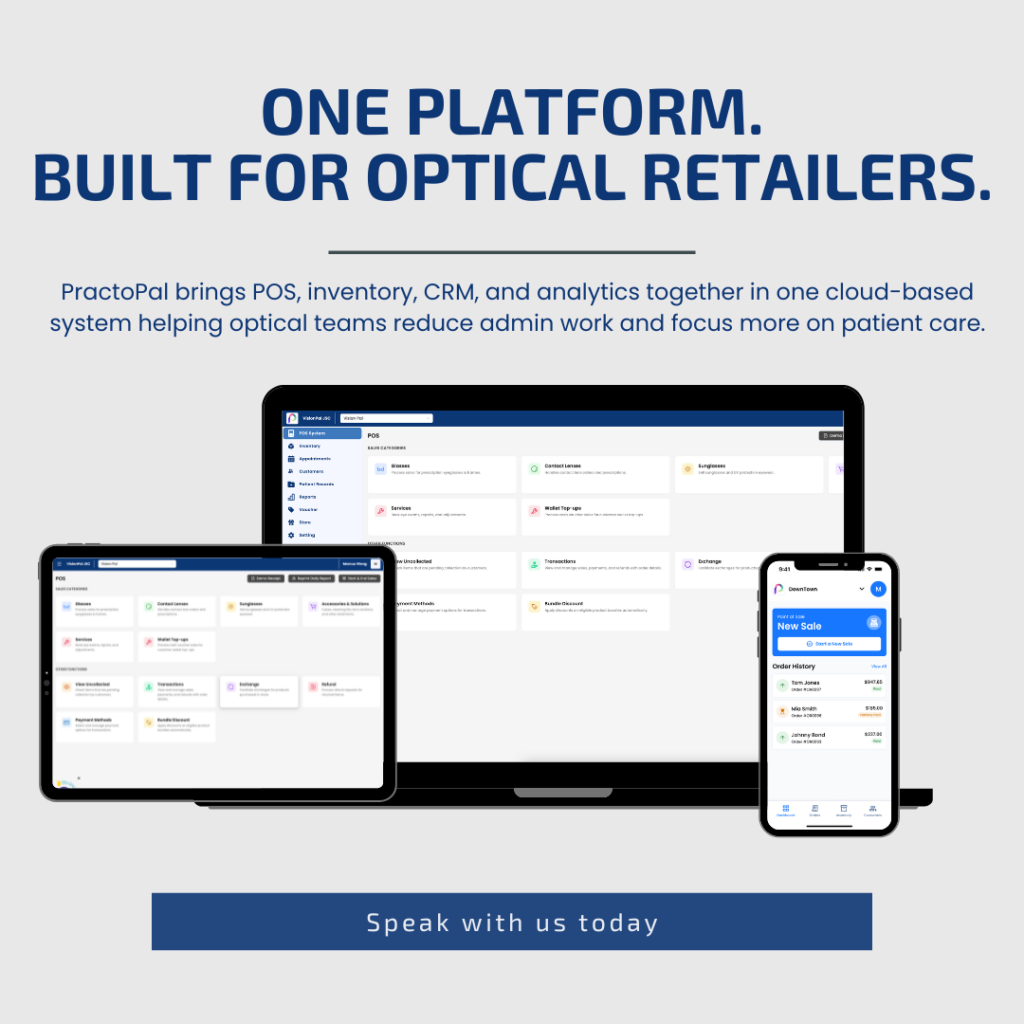
PractoPal optical retail software displayed across desktop, tablet, and mobile devices

Running an optical business today is no longer just about delivering good eye care.

Store owners and managers are expected to juggle appointments, prescriptions, inventory, suppliers, payments, promotions, and customer engagement — often across multiple systems that don’t speak to one another.

That is exactly why PractoPal was built.

PractoPal is a cloud-based optical retail software designed specifically for independent optical retailers and small-to-mid chains, built to reduce administrative workload, free up staff time, and help optical businesses grow more strategically.

This article shares what PractoPal is today, and how our recent developments are shaping a smarter, more sustainable future for optical retail.


Why Optical Retailers Need Industry-Specific Software

Most generic POS or retail systems are not designed for optical workflows.

Optical retailers deal with:

  • Prescriptions and patient history
  • Lens and frame combinations
  • Supplier-specific SKUs
  • Referrals and follow-ups
  • Campaign tracking and voucher redemptions
  • Multiple payment modes with reconciliation needs

When these workflows are handled manually or across disconnected tools, teams lose time, data becomes fragmented, and opportunities are missed.

PractoPal was created to solve this problem with an optical-first design, not generic retail logic.


What PractoPal Is Today

PractoPal is an optical management software that brings together daily operations, customer engagement, and business intelligence into one connected platform.

At its core, PractoPal focuses on three outcomes:

  1. Reduce Administrative Work
  2. Improve Patient Engagement
  3. Enable Smarter, Data-Driven Growth

Below are the key developments driving value for our clients today.


Cloud-Based, iPad-Responsive Operations

PractoPal is fully cloud-based, allowing teams to access the system securely from anywhere.

The platform is optimised for:

  • Desktop use at the counter
  • iPad usage in-store
  • Mobile-friendly workflows for consultations and transactions

A mobile POS experience is also in development, enabling even greater flexibility for front-line teams.

This allows optical retailers to operate more efficiently without being tied to fixed terminals or legacy systems.


Optical-Specific Product SKU Synchronisation

One of the most time-consuming tasks in optical retail is product data entry.

PractoPal addresses this through:

  • Centralised product SKU management
  • Supplier-synchronised product databases
  • Reduced manual data creation and duplication
  • By keeping product information structured and updated, teams spend less time maintaining data and more time serving patients.

The result: cleaner data, fewer errors, and better reporting accuracy.


Smart Purchase Order (PO) and Receiving Order (RO) Workflows

Tracking expenses and stock movement should not rely on spreadsheets or memory.

PractoPal introduces structured:

  • Purchase Order (PO) workflows
  • Receiving Order (RO) tracking
  • Clear visibility of costs and stock inflow
  • This allows managers to:
  • Monitor supplier spend
  • Track inventory movement accurately
  • Maintain stronger financial oversight

With better cost visibility, businesses can make more informed purchasing decisions.


Integrated CRM & Patient Engagement Tools

Customer retention is one of the biggest growth levers in optical retail.

PractoPal includes built-in optometry CRM capabilities that help stores:

  • Segment customers
  • Run targeted campaigns
  • Send vouchers and promotions
  • Track redemption and engagement

Instead of mass promotions, retailers can create more relevant, data-driven campaigns — improving both conversion and customer experience.


Voucher Campaign Analysis That Drives Better Outcomes

Promotions should not just be sent; they should be measured.

PractoPal allows optical retailers to:

  • Track voucher issuance
  • Monitor redemption rates
  • Analyse campaign performance
  • Understand what truly drives sales

This data becomes especially powerful when working with suppliers.

By sharing campaign insights, retailers and suppliers can collaborate on better-targeted marketing initiatives that deliver stronger ROI for both sides.


Upcoming Integrated Payment Terminal (KPay)

Manual payment input and reconciliation errors are a common pain point in optical stores.

PractoPal is introducing an integrated payment terminal powered by KPay, designed to:

  • Capture payment data directly into the POS
  • Reduce manual entry errors
  • Simplify end-of-day reconciliation
  • Improve accounting accuracy

This creates a smoother checkout experience for customers and a cleaner backend process for staff.


Built for Growth, Not Just Daily Operations

PractoPal is not just a POS system.

It is designed as a long-term operational platform that helps optical retailers:

  • Understand business performance
  • Identify growth opportunities
  • Allocate effort where it creates the highest impact

Through analytics and intelligence dashboards, store owners and managers can gain visibility into:

  • Sales trends
  • Product performance
  • Customer behaviour
  • Campaign effectiveness
  • Better data leads to better decisions and sustainable growth.

Designed by Industry Practitioners, for Optical Retailers

PractoPal is built by a team with deep experience in the optical industry.

Every workflow, feature, and interface decision is shaped by real-world operational challenges faced by optical retailers not generic retail assumptions.

The goal is simple: Less admin. More clarity. Better patient care. Stronger business outcomes.


The Road Ahead

PractoPal continues to evolve with ongoing developments across:

  • Automation
  • Payments
  • Supplier collaboration
  • AI-driven insights
  • Workflow optimisation

As optical retail becomes more competitive, having the right system is no longer optional;

PractoPal’s cloud-based optical retail software works seamlessly across desktop, tablet, and mobile — supporting daily store operations anytime, anywhere.

it is foundational.


Ready to See PractoPal in Action?

If you’re exploring ways to reduce manual work, improve patient engagement, and run your optical business more efficiently, we’d love to show you how PractoPal works.

👉 Book a demo today and discover how PractoPal can support your store’s next stage of growth.

Terms & Conditions – PractoPal Free AIO PC Campaign

By Uncategorized

These Terms & Conditions (“T&Cs”) govern the PractoPal Free AIO PC Campaign. By participating in this promotion, you agree to be bound by these T&Cs.


1. Eligibility

  • This promotion is open to new PractoPal clients only.
  • Limited to the first 20 new clients who successfully sign up for the campaign package.
  • Clients must sign a subscription agreement with Vision Direct South East Asia Pte Ltd (“PractoPal”).

2. Campaign Offer

  • Clients who sign up for the Campaign Package will receive:

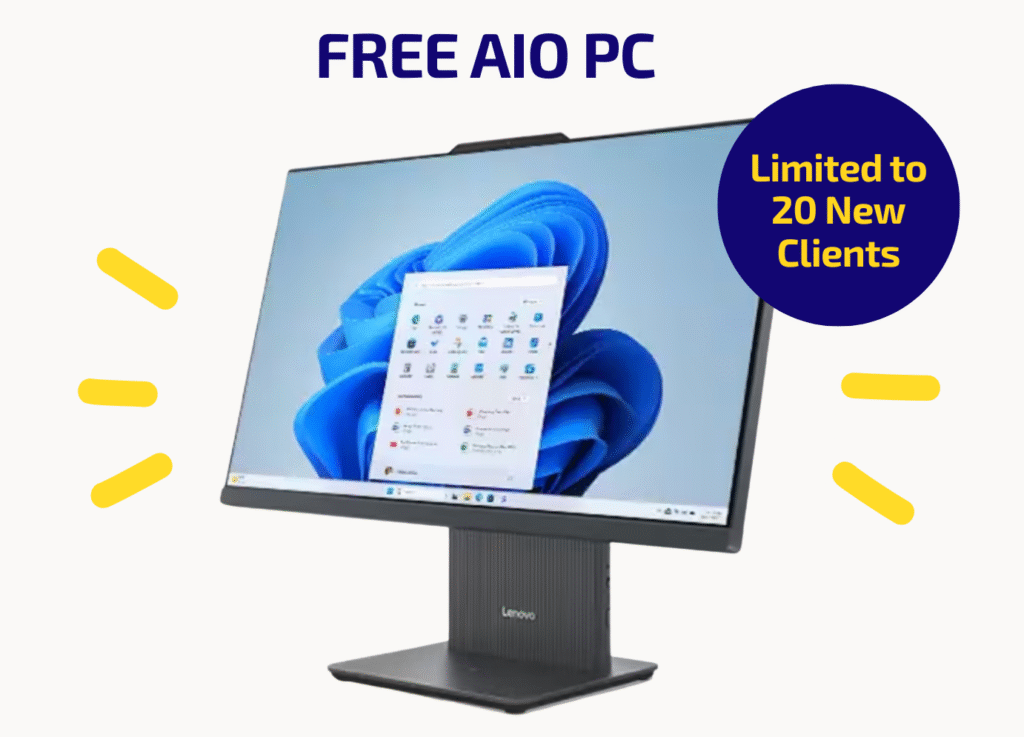
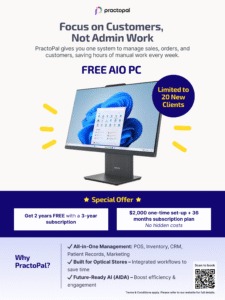
    1. One (1) Lenovo IdeaCentre AIO 24 AMD Gen 9 PC (per account).
    2. 2 years free subscription with the purchase of a 3-year plan.
  • Campaign Package details:
    • One-time setup fee: SGD $2,000
    • Subscription plan: 36 months (3 years)
    • No hidden costs

3. Free AIO PC

  • The PC model provided under this promotion is the Lenovo IdeaCentre AIO 24 AMD Gen 9.
  • One (1) unit will be provided per eligible setup fee.
  • The PC will be delivered within 30 days after go-live of the PractoPal system.
  • In case of early termination of the subscription, the client must reimburse SGD $915 for the AIO PC.
  • There is no option for other models.

4. Subscription Terms

  • Subscription is prepaid under the 3-year contract.
  • The “2 years free” benefit is applied as part of the total 5-year usage (3 paid + 2 free).
  • All fees are non-refundable.

5. General Conditions

  • PractoPal reserves the right to verify eligibility and compliance with these T&Cs.
  • The campaign is strictly limited and offered on a first-come, first-served basis.
  • PractoPal reserves the right to amend, withdraw, or substitute the promotion at any time without prior notice.
  • PractoPal shall not be held liable for any delays, losses, or damages arising from the use of the AIO PC.

6. Governing Law

  • These T&Cs shall be governed by and construed under the laws of Singapore.
  • Any disputes arising out of or in connection with this promotion shall be subject to the exclusive jurisdiction of the courts of Singapore.

📌 Contact Us
For more details, please get in touch with PractoPal at:
📧 Email: [email protected]
📞 Phone: +6581180039

PractoPal optical software dashboard with cloud hosting on AWS, secure data lock icon, Singapore map pin, and PDPA and ISO 27001 compliance badges.

Your Data Is Safe With PractoPal: Our Commitment to Compliance & Security

By Uncategorized

PractoPal optical software dashboard with cloud hosting on AWS, secure data lock icon, Singapore map pin, and PDPA and ISO 27001 compliance badges.

At PractoPal, we understand that data security and regulatory compliance are critical to every optical retailer, whether you’re a single-store owner or managing a chain of stores. That’s why we’ve made it a priority to build our software with privacy, security, and transparency at its core.

🔐 Where Is Your Data Hosted?

All data on PractoPal is securely hosted on Amazon Web Services (AWS) servers located in Singapore. This setup ensures:

  • 99.9% uptime SLA, providing high availability and reliability.
  • Secure infrastructure, with industry-leading protection against unauthorized access, downtime, and data loss.
  • Data sovereignty, ensuring that your patient and store data remain within local jurisdiction.

✅ PDPA & ISO Compliance

As a Singapore-based company, PractoPal complies with the Personal Data Protection Act (PDPA) to safeguard personal and medical data. We’ve designed the platform to:

  • Ensure data encryption both at rest and in transit
  • Support role-based access controls
  • Provide secure data retention and deletion policies

In addition, we are actively working toward ISO 27001 certification, the international standard for information security management. This includes:

  • Risk assessment and mitigation protocols
  • Regular audits and vulnerability testing
  • A robust incident response framework

Why It Matters to You

Choosing a compliant Optical Management Software means:

  • You protect your patients’ sensitive health records
  • You avoid penalties from non-compliance
  • You build trust with your customers

With PractoPal, you get peace of mind, knowing that your data is handled with the highest standards of care and security.

Why Optometrists Still Struggle with Patient Data (And What Needs to Change)

By Uncategorized

For many optometrists, delivering splendid eye care for customers is only half the aim. The other half is more tedious, but necessary nonetheless–dealing with the administrative tasks that come with running a practice.

From updating patient histories to processing orders and managing appointments, paperwork has become unavoidable. Optometrists often find themselves buried in forms, charts, and outdated filing systems.

The Hidden Cost of Outdated Systems

Optical practices that still rely on paper-based or messy digital systems lead to long wait times for customers, misplaced records, and a lack of coordination in patient care. Imagine an optometrist juggling back-to-back appointments, attempting to locate a piece of paper in a stack for their patient’s prescription history. A single missing piece of information could mean a delayed diagnosis, an incorrect prescription, or a frustrated patient.

There’s more: Managing orders for lenses and frames, tracking insurance claims, and coordinating with suppliers also require time-consuming manual processes. If a poor or paper system is used, the inefficiency will directly affect the quality of patient care. Beyond this, administrative overload also leads to burnout among staff and increasing turnover rates.

Without a streamlined system, errors become more common. Illegible handwriting, duplicate records, and missing data can lead to incorrect prescriptions or unnecessary delays. Patients may have to repeat tests simply because their previous results aren’t readily available.

A Smarter Way Forward: The Power of EHR

The solution is simple: Adopt modern digital tools that simplify record-keeping and improve efficiency in your practice. Electronic Health Records (EHR) offer optometrists a way to securely access and manage patient data in real-time. Instead of relying on physical files or outdated software, it provides a centralised platform where patient histories, prescriptions, and orders are stored digitally and can be accessed instantly.

EHRs are no longer a luxury—they are a necessity for optometry practices looking to provide good service while minimising administrative workload.
Looking for an EHR system? You’re in luck! Practopal is designed specifically for optical practices, streamlining patient history tracking, order management, and task automation. Book a free demo today and prioritise efficiency!

How Your Optical Practices Can Overcome App Fatigue

By Uncategorized

We’ve all been there—fingers hovering above the screens of our phones as it jerks right, left, right again, frustrated as we find the specific application we need. Now, imagine this issue on a larger scale in your business. Optical professionals rely on numerous applications and software solutions for patient management, inventory tracking, and customer engagement. With every new tool comes another login, another learning curve, and another system to maintain.

App fatigue is the exhaustion that comes from juggling too many applications, and it is a real challenge for optical businesses today. The question is: how can practices keep their operations running smoothly without being overwhelmed by this clutter?

Centralising Operations

One key way to overcoming app fatigue is consolidation. It is common for businesses to have multiple systems for patient records, inventory, and scheduling, when optical businesses should look for an all-in-one solution instead. Imagine your operations streamlined in a single platform.

Luckily for you, there are solutions that solve this issue. For example, PractoPal offers a centralised Optical Management System (OMS) that offers services from real-time inventory updates to referrals and patient engagement tools, which reduces the need for multiple apps.  This makes operations simpler and more efficient.

Using AI and Automation

A major cause of app fatigue is the repetitive nature of manual tasks across multiple platforms. However, the solution is simpler than you may realise: Smart automation. It cuts down on human effort while maximising efficiency.

With AI-driven procurement and predictive tools, PractoPal takes the burden off optical professionals by automating inventory management, order tracking, and even patient appointment reminders. This reduces the need to interact with multiple apps daily, allowing optometrists and business owners like yourself to focus on delivering top-notch care for your customers.

Reducing Clutter

Not all optical businesses operate the same way, and a one-size-fits-all approach and can add unnecessary difficulty. Therefore, the ability to personalise a system to meet specific needs can significantly reduce app fatigue.

Unlike competitors with rigid templates, PractoPal is highly customisable, allowing businesses to tailor the platform to their unique needs. Whether it’s branded patient engagement tools, targeted marketing campaigns, or automated loyalty programs, optical practices can refine their workflows. You can then say goodbye to the additional clutter!

The Future of Optical Business Management

App fatigue is a true struggle, but it doesn’t have to be inevitable. Optical professionals can take back control by choosing smart, integrated, and scalable solutions that reduce the need for multiple applications.

PractoPal streamlines patient history tracking, order management, and task automation, allowing optical stores to deliver great care while increasing efficiency. Book a free demo today and take the first step toward a smarter practice!

Does Your Optical Practice Need an App? Here’s Why the Answer is Yes

By Uncategorized

Are you considering an app for your optical practice? You’ve come to the right place.

Running an optical practice isn’t only about offering great eye care—it’s about creating a memorable experiences for your patients. You already manage appointments, patient records, and orders, but what if you could take it a step further? What if an app could help you strengthen your brand, improve customer retention, and simplify daily operations?

If you’re still on the fence about whether your business needs a mobile app, here’s why the answer is a resounding yes.

Your Brand Needs to Stand Out

As you’re aware, patients today expect convenience and personalisation. They don’t just visit any optical store available to them—they seek out the ones with an experience that feels tailored to their needs. A branded mobile app lets you reinforce your practice’s identity, keeping your services top-of-mind for customers. With this, building brand loyalty has never been easier.

With a mobile app, every patient interaction—from booking an appointment to receiving a promotional voucher—feels cohesive and professional.
Through services like PractoPal, you can customise your app interface to align with your brand, all the while leveraging tools for engagement and retention.

Customer Retention is About Engagement

According to Forbes, companies with a customer-centric mindset, in which customers are placed “at the center of every key function, decision and deliverable”, tend to outperform their competitors.

It’s important to retain customers, and this doesn’t just consist of reminding them when their next eye exam is due—it’s about continuous engagement. A mobile app lets you keep your customers in the loop with appointment reminders and special promotions.

PractoPal is an example of a service that delivers this loyalty-driven approach. Among its features is one that provides in-app promotions, loyalty programs, and targeted marketing vouchers, ensuring that patients stay engaged with your practice long after their first visit.

Efficiency Matters—And It Should Be Mobile

You’re already managing a business, so adding another layer of administrative work isn’t ideal. That’s why an app will make your workflow smoother, not more complicated.

If you’re managing multiple store locations, having everything accessible on the go means less time on paperwork and more time focusing on your patients.
PractoPal’s mobile access feature allows optical practitioners to manage their business using a personalised app, providing solution that enhances interactions with patients and steamline workflows for better efficiency.

So, Does Your Optical Practice Need an App?

If you want to grow your brand, retain customers, and simplify operations, a mobile app is considered a necessity.
The next step is choosing an app-provider built specifically for optical businesses.

This is where PractoPal comes in. As an Optical Management System, PractoPal streamlines patient history tracking, order management, and task automation. With its mobile access, branded interface, targeted marketing tools, and customer retention features, you can run your practice effortlessly.

Are you ready to take your optical business to the next level with PractoPal? Book a free demo now!

Why Customers Hate Your Booking System (And How to Fix It)

By Uncategorized

Nothing frustrates customers more than a messy, outdated booking system. It’s a hassle to deal with lost records and confusing schedules, and it doesn’t just annoy customers, it also pushes them away.

Here’s what’s going wrong—and how PractoPal can help.

Scattered Information

Imagine a customer arriving for their appointment, expecting a smooth check-in. Instead, the receptionist is flipping through files and scrolling through Excel sheets, all the while the line grows and frustration builds.

Customers don’t care why the system is a mess—they just know it’s wasting their time.

Lucky for you, PractoPal’s solution keeps all customer records in one place—no more digging through files and documents. The moment a customer books an appointment, it is accessible to staff in seconds.

Inconsistent Data Formats

One system stores information one way. Another does it differently. Some data is handwritten, and some is typed manually. This results in a mountain-high number of errors, confusion, and annoyed customers.

Errors come in multiple shapes and forms. Wrong appointment times. Misspelled names. Incorrect billing details. If your customers must correct your business on their own information, it shows carelessness on your part. If they can’t trust you to get the small things right, why would they trust you with anything bigger?

Fortunately, PractoPal ensures all data is standardised and stored consistently. You can bid goodbye to wrong bookings and impatient customers.

Unpersonalised Services

Personalised services are slowly but surely becoming normalised, and it’ll be wise to follow the trend. Imagine a returning customer walking in for a follow-up, only to find that their records are missing. The staff has no idea what was discussed previously and the customer has to re-explain everything from scratch.

The customer feels like just another number. This is how loyalty dies.

PractoPal fixes this by keeping a complete, organised history of every customer interaction, no matter how long it’s been since their last visit. Their past services, preferences, and notes are all stored in one place, so staff can pick up right where they left off. So long as your customers feel remembered, they feel valued—and will keep coming back.

If It’s Hard to Book, They Won’t Book at All

Customers don’t have patience for businesses that make scheduling a mess.

Lucky for you, PractoPal fixes these problems before they even start. As an all-in-one Optical Management System, we strive to remove inefficiencies and provide you with an organised, accessible, and user-friendly system with automated appointment scheduling. Create a seamless experience and book your free demo now!

Hidden Costs of Running an Optical Store Without an Order Management System

By UncategorizedNo Comments

Running an optical store is a rewarding venture, but behind the scenes, your profits and productivity may be eaten away unnecessarily because you lack an Order Management System (OMS).

Many optical retailers rely on outdated systems or manual processes, like tracking inventory and recording patient details with spreadsheets that soon become a hassle with a mountainous pile of information. These methods can result in stock shortages and delays in fulfilling customer orders.

In this article, we uncover costs you may be unaware of when running an optical store without an OMS and how PractoPal can help you optimise your operations.

1. Time Wasted on Manual Tasks

Time is money. If your staff spends hours on manual scheduling, invoicing, and inventory management, you are losing resources and slowing down daily operations. Tasks that could be automated, like patient follow-ups, order tracking, stock updates, should be automated.

OMS systems such as PractoPal’s help automate routine tasks, allowing you and your staff to focus on what truly matters—providing excellent customer service and growing your business.

2. Revenue Loss Due to Errors

Mistakes in appointment scheduling, billing, or inventory tracking can lead to financial losses. Overbooking, missed follow-ups, incorrect invoices, or double-booked appointments are common and poor for profitability. Besides, it can frustrate customers and reduce efficiency.

An integrated OMS eliminates these risks by ensuring all financial transactions are accurate. Better yet, it does so efficiently.

3. Poor Customer Experience

A messy store workflow means longer wait times and inefficient communication with patients. Today’s customers, especially those knee-deep in the digital world, want seamless service—quick check-ins and timely reminders for eye check-ups.

An OMS enhances customer experience by streamlining operations, enabling personalised service, and ensuring efficient communication through automatic reminders and digital records.

4. Lack of Data-Driven Decisions

Without a centralised system, how can you track performance at a glance?

It’s difficult to analyse customer trends or identify areas for improvement without data stored in one dashboard. Optical stores without an OMS often rely on guesswork to make crucial business decisions, which can be costly, and worse, inaccurate.

OMS provides analytics about your business, all in one page, which can contribute to promotional activities like effective campaigns.

How PractoPal Can Help

PractoPal is an all-in-one Optical Management System that eliminates inefficiencies. With features like automated appointment scheduling, real-time inventory tracking, secure payment processing, and advanced analytics, PractoPal helps you save time, reduce costs, and enhance customer satisfaction.

Moreover, it provides actionable insights through detailed analytics, all in one place, to help you understand your best-selling products, customer preferences, and revenue trends.

Stop letting inefficiencies drain your optical store’s profits. See how PractoPal can transform your business today—book your free demo now!